I've been working on something called Airwave, but this started for a pretty personal reason.
I miss TV.
Not the cable bill, the commercials, or being stuck with whatever the networks decided to show. I miss the experience of it. Turning it on. Seeing what's already playing. Jumping into a movie halfway through. Finding an episode of something you haven't watched in years. Having something just be on instead of staring at Plex for fifteen minutes trying to decide what to watch.
And now that I have a son, I wanted him to have that too, except with channels made from our own media.
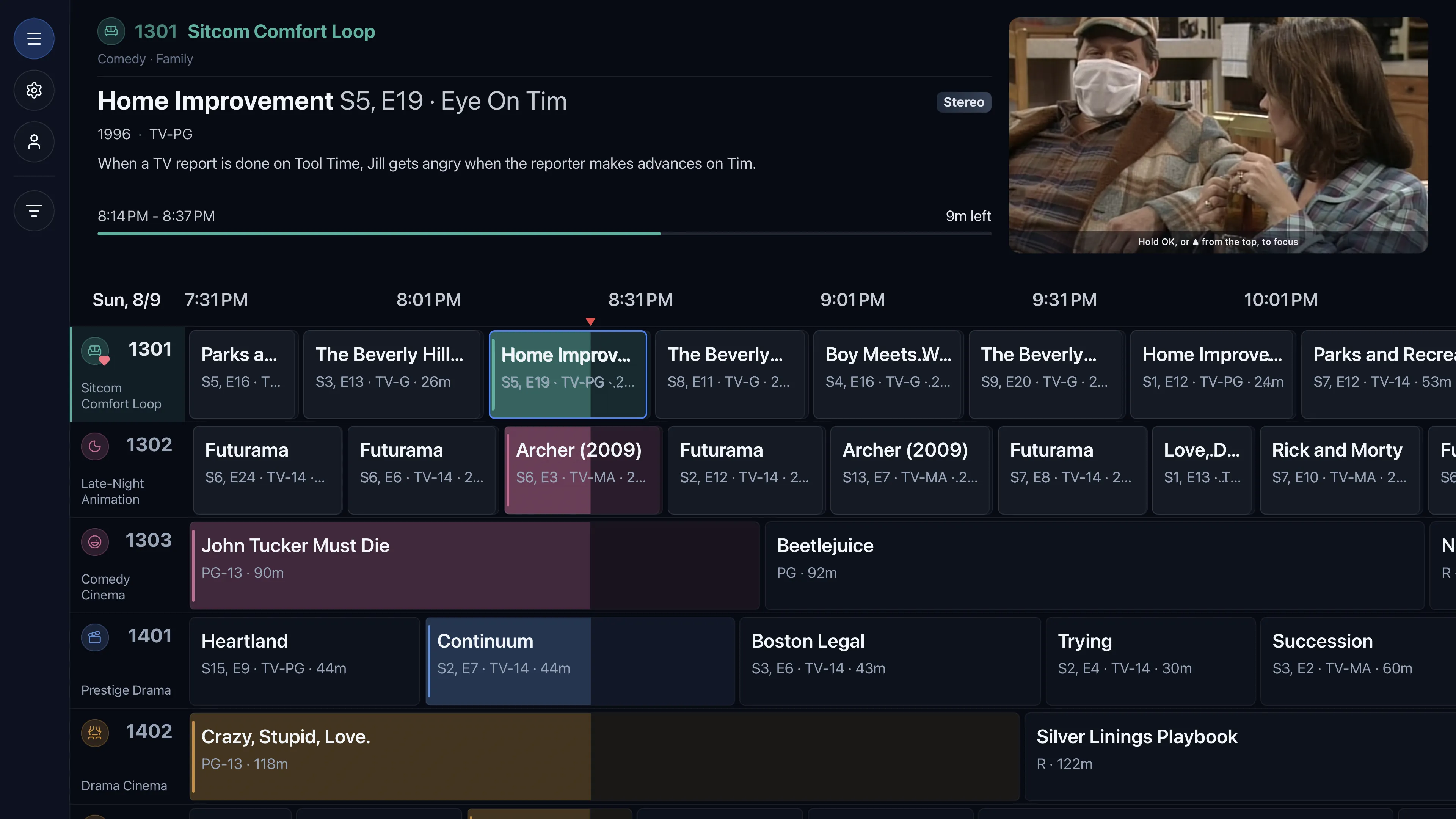
So that's what Airwave became: a self-hosted service that turns your Plex library into custom, always-on live-TV channels, with a real program guide.
What it is
Think Pluto TV or an old cable box, except every channel is yours, running on your hardware, from your own library. Make a 90s sitcom channel, a Marvel channel, Saturday-morning cartoons, a kids channel, a channel that quietly marathons a favorite show, or something built from just about any combination of genre, year, network, cast, rating, collection, or playlist.
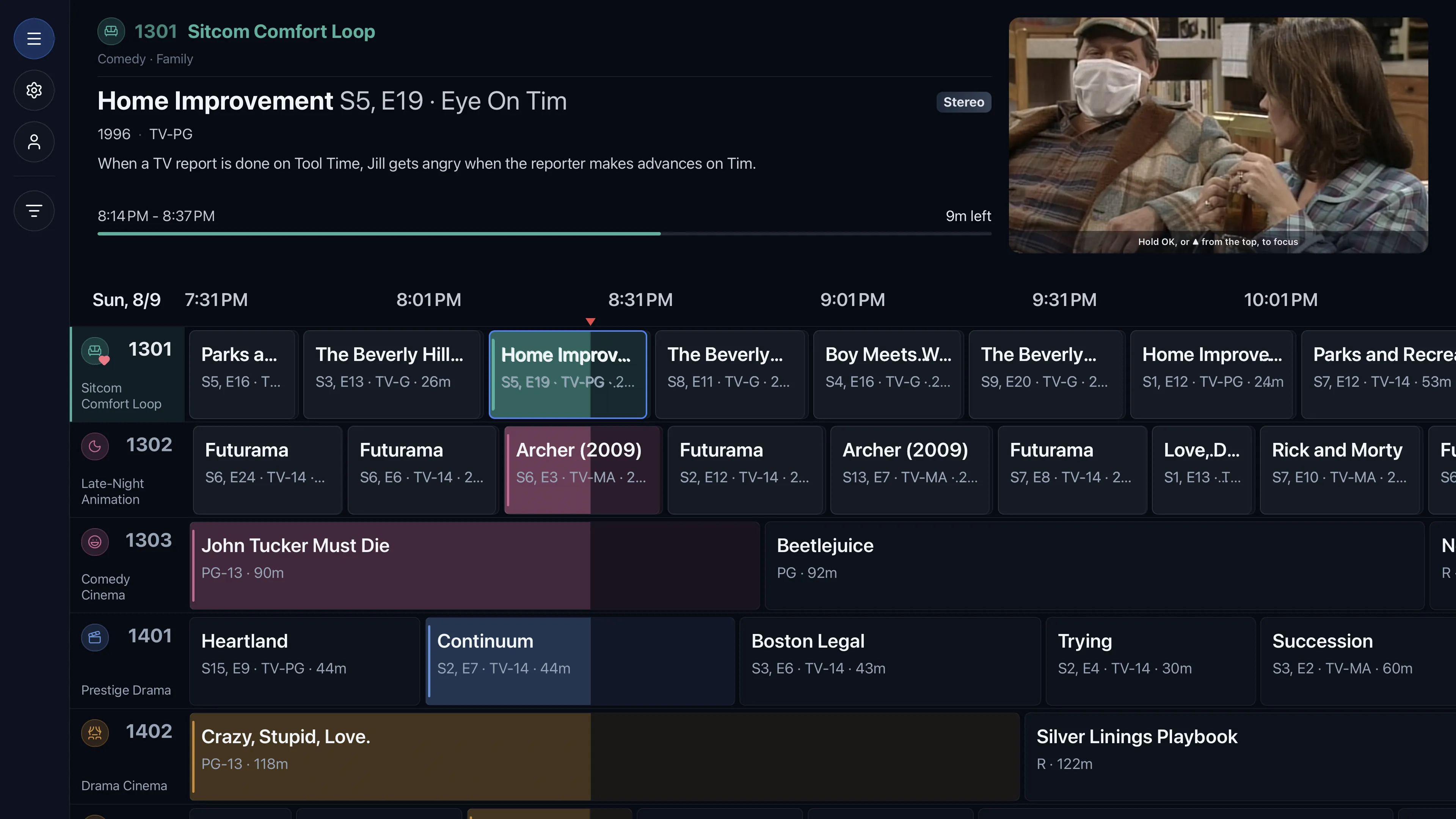
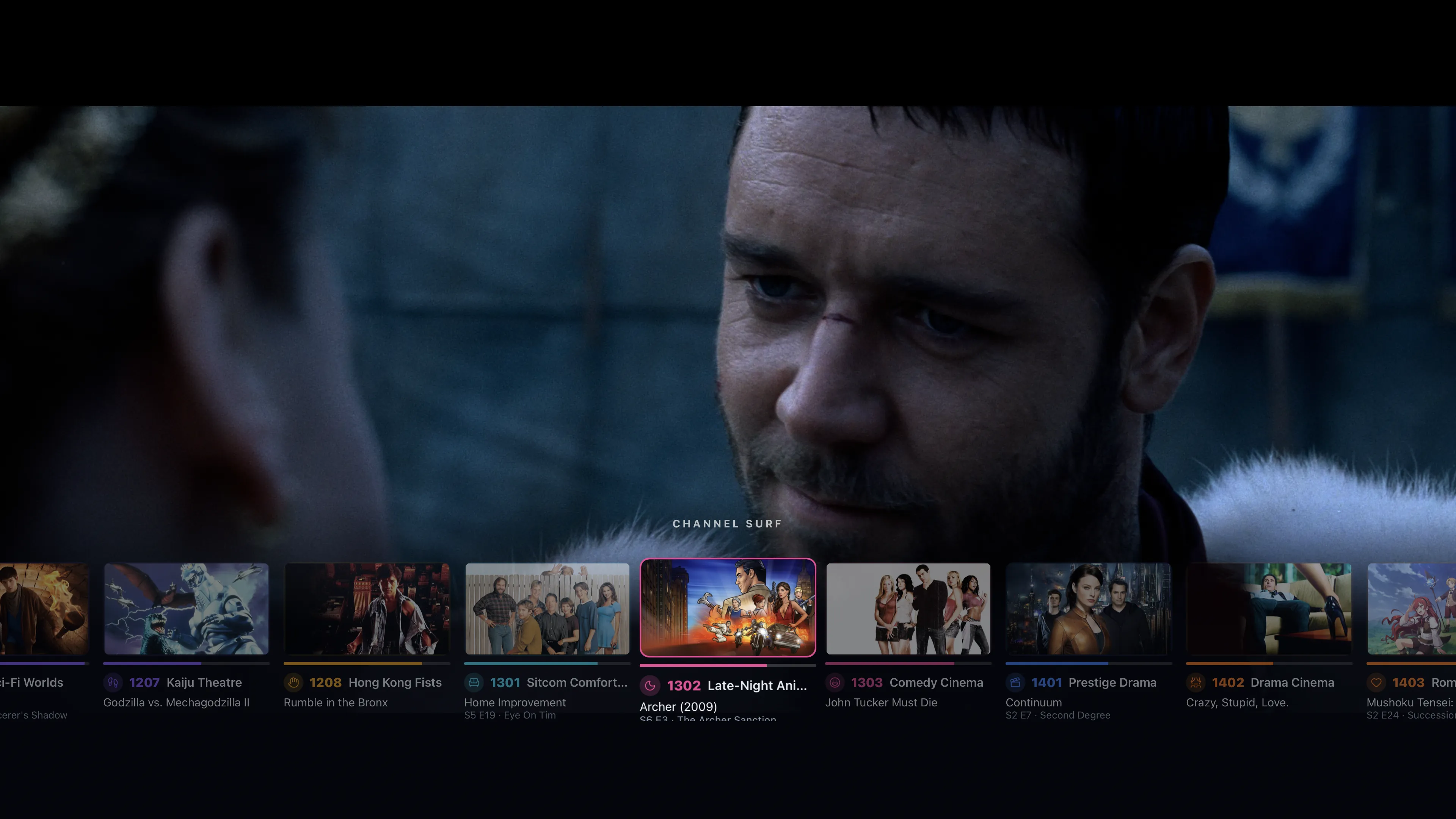
Airwave lays all of that onto an actual continuous schedule and presents it through a proper 10-foot channel guide. Channels surf without interrupting what's playing, and a now/next panel tracks the moment.
You join what's already airing
The important part: when you tune in, you don't start the file at the beginning. You join whatever is currently airing, at the point where it would actually be.
But it isn't rigid live TV either. There's a full DVR-style timeline behind LIVE: scrub backward through programs that already aired, restart the current program from the beginning, or jump back into an earlier episode or movie. The only thing you can't do is seek ahead of LIVE.
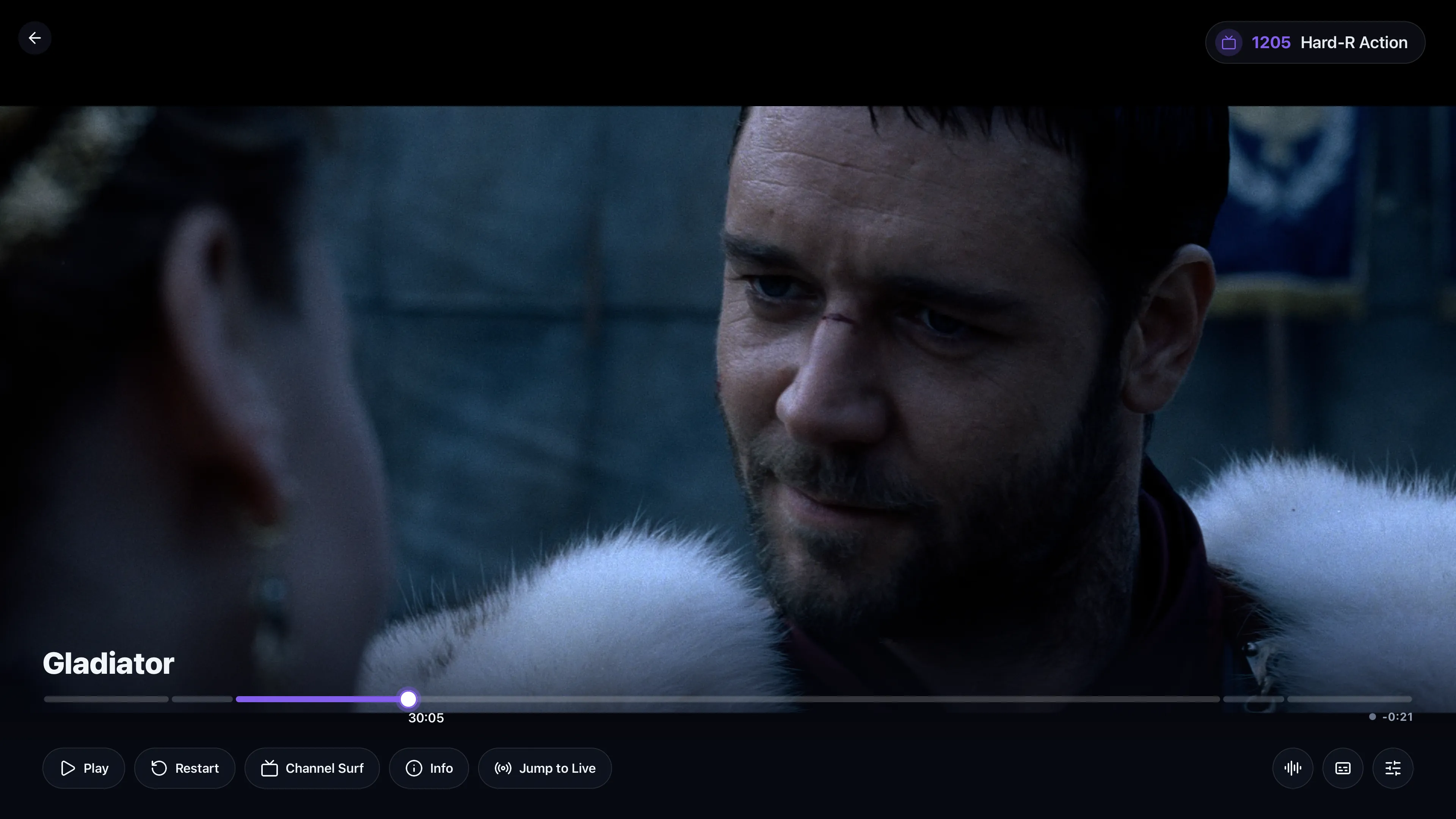
I did exactly that with my son's Bluey channel recently. I went back three or four episodes in the channel history and started one that had aired earlier so he could watch from there.
And it changes how I watch my own library too. Yesterday Avengers: Age of Ultron happened to be playing on one of my channels. I jumped in because it was on, and just watched the rest. I never would have gone into Plex and deliberately picked it, but because I stumbled across it the way you would have on TV years ago, it pulled me in. That's the whole point: the discovery of live TV without giving up the useful parts of a DVR.
Server-first
From the beginning I wanted the "brain" to be a real service I self-host next to Plex, not something living inside one particular TV app. That became a core idea:
The channels belong to your Airwave server, not to a device.
The server owns the lineup, schedules, packages, users, metadata, and playback state. The TV apps are just clients that tune in. So whether I open Airwave on my LG webOS TV, Apple TV, iPad, Android/Fire TV, Roku, or a browser, I'm looking at the same network: the same channels, the same guide, and the same thing currently airing. It's much closer to running your own little television provider.
On a recent road trip my son watched a mixed channel of his shows on an iPad for a huge chunk of the drive, streaming back from our Plex server at home. The iPad wasn't making some separate copy of his channels for the trip. It was just another client tuning into the same network we have in the living room.
Building channels
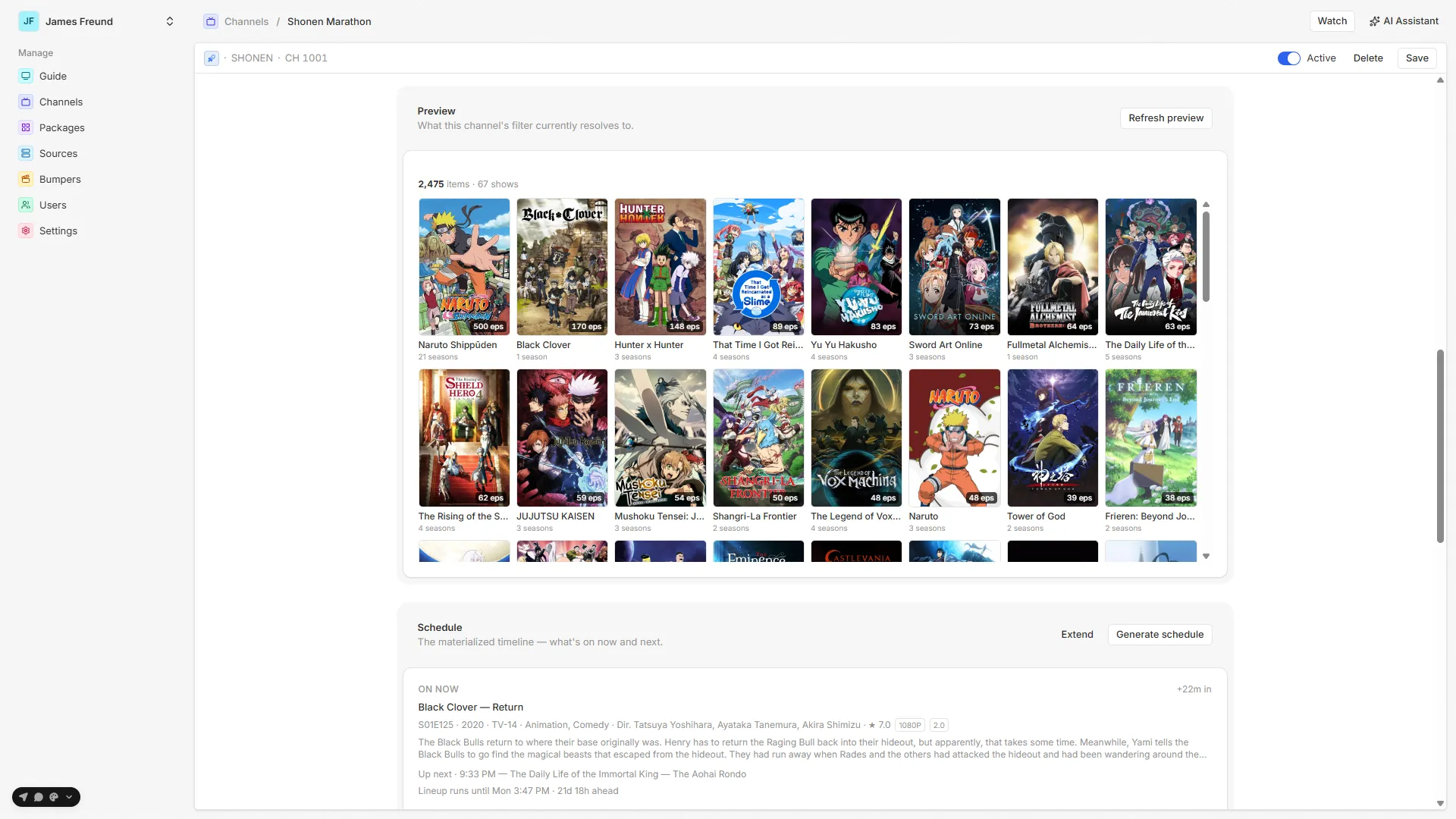
You build channels on the server, from metadata filters, Plex collections, playlists, or hand-picked media, and a deterministic scheduling engine turns them into an always-running lineup that resumes exactly where it left off.
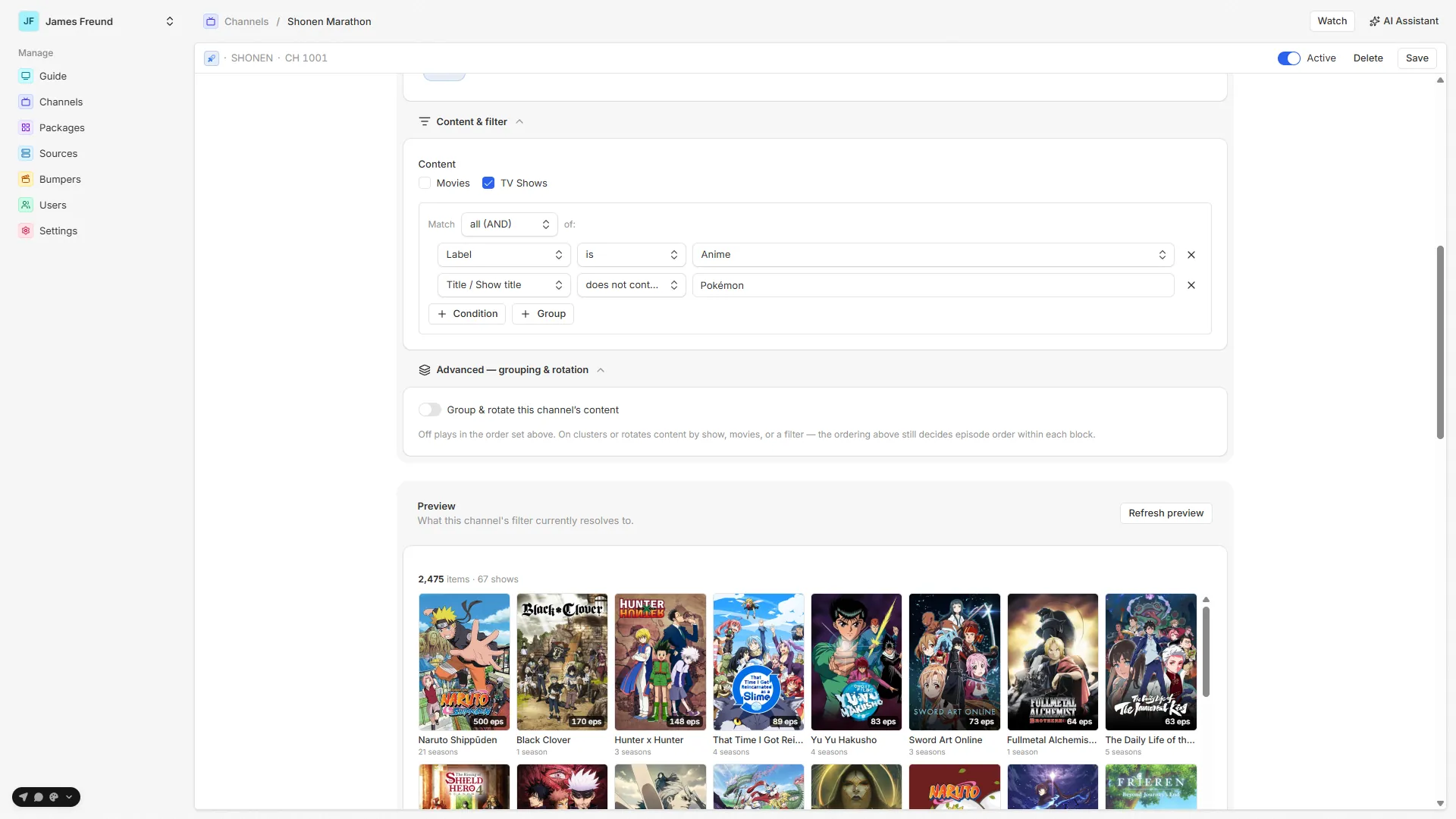
Under the "make Plex feel like TV again" idea, there's quite a lot going on:
- channels from metadata filters, Plex collections, playlists, or hand-picked media
- deterministic, always-running schedules that resume where they left off
- grouping, rotation, marathons, duration/count-based blocks, and no-repeat rules
- one centralized lineup shared across every Airwave client
- packages and per-user access control
- full DVR-style playback: seek through past programs, restart, and watch forward up to LIVE
- optional "Up Next" bumpers and ambient music between programs
- local, remote, and relay Plex playback, so it works at home and away
- per-device capability diagnostics so clients direct-play whenever possible
- lineup import/export between instances, and optional BYO-key AI tools for building channels
Built with AI, honestly
Since it'll come up: Airwave is very heavily AI-assisted. I've been a full-stack developer for 10+ years, and I designed the product, architecture, data model, scheduling and playback behavior, infrastructure, and UX. I review the work, debug it, and test it on real hardware. But Claude Code wrote the vast majority of the literal source code.
I'm not going to pretend I hand-typed a codebase I didn't, and "Claude built it" doesn't describe what happened either. This has been me applying a decade of experience while using an absurdly capable implementation tool. I care a lot more about whether the result is understandable, maintainable, and actually works than about who typed each function.
Why
Ultimately I didn't build Airwave to launch a product. I built it because I wanted it. I wanted my channels back. I wanted my son to have channels. I wanted to turn on the TV without having to make a decision: that old feeling where you stumble across a movie you haven't thought about in years and suddenly you're watching it.
Streaming solved access to content incredibly well. But I think we lost something when everything became a catalog and every time you sit down you're expected to choose exactly what to watch. Airwave is my attempt to bring the other experience back.
Try it
Airwave is source-available and self-hostable. The server, admin panel, and browser player are free to run, via Docker + PostgreSQL, or a one-click desktop app for Windows, Linux, and macOS. The viewing experience runs across Apple TV/iPad, Android TV/Fire TV, LG webOS, Roku, and the browser, with more clients on the way. The native store apps are just a small paid convenience. You can always build and sideload from source.
Comments