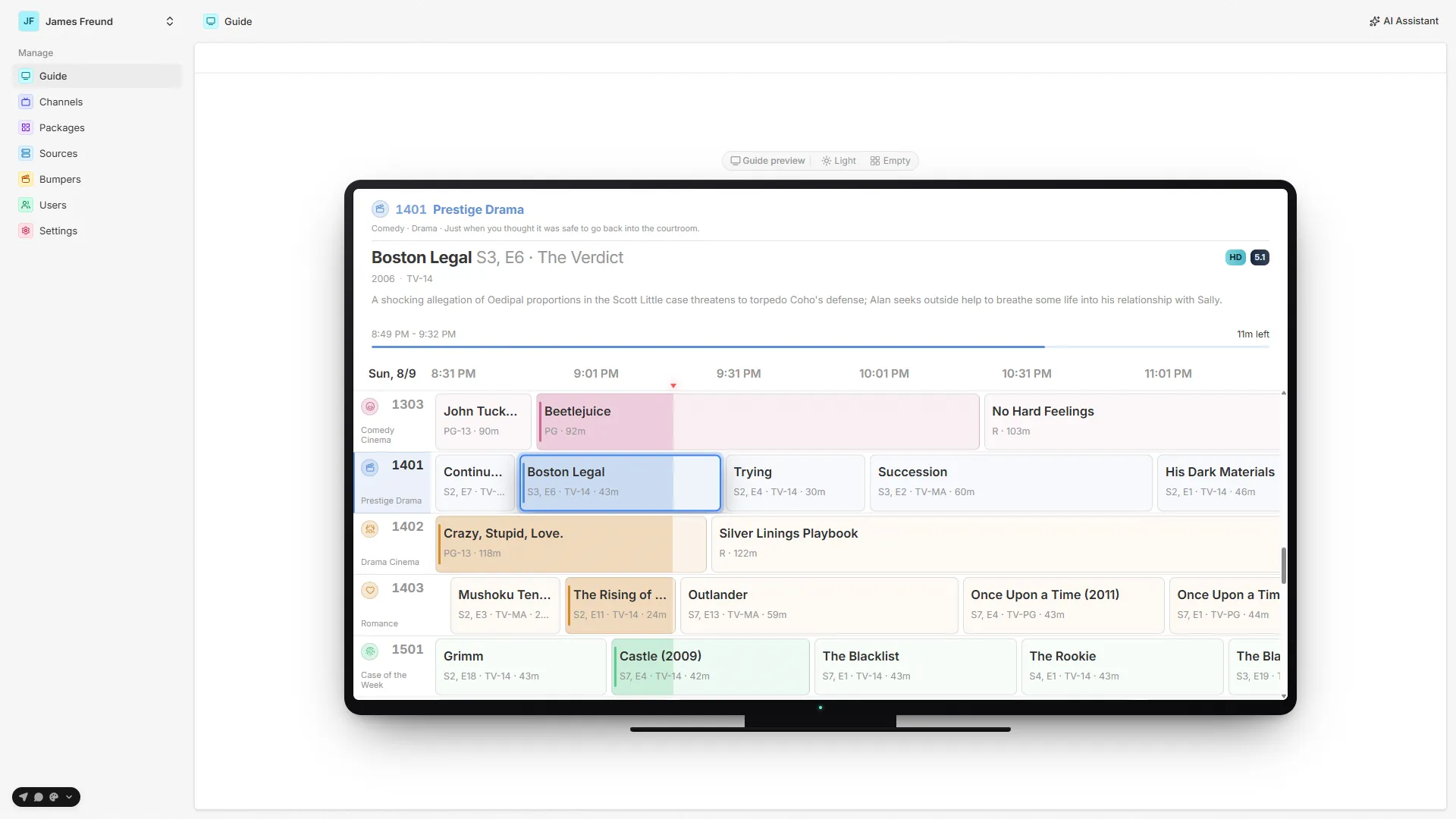
The channel guide
The grid your viewers actually live in.
A 10-foot channel guide built for a remote — a live playhead, a DVR scrubber, favorites, per-viewer lenses, a mini player, and bumpers, all driven off the same deterministic timeline everyone shares.
A grid you surf.
Channels down the side, what's-on across the top, and a live playhead marking now. Arrow to a channel and you join it mid-program — exactly where it is on the shared timeline.
Navigation & the dial
Surf it like a real dial.
The guide is a grid — channels down the side, what's-on across the top, and a live playhead marking now. Arrow to any channel and you join it mid-program, exactly where it sits on the timeline everyone shares.
It's built for a remote, not a mouse. Channel up/down, number entry, a channel-surf overlay, and one-press lenses do the work of a real set-top box.
Everything's one press away.
- Arrow to a channel to join it mid-program at the shared live offset.
- Channel up/down steps the lineup without leaving what's playing.
- Number entry and a channel-surf overlay jump straight to a channel.
- Favorite a channel from the rail — it collects into a Favorites lens.
- Package lenses (Favorites, Recents, one per package) narrow a big lineup fast.
Playback & timeshift
Live — with a DVR's controls.
You join what's on now at the right offset, then scrub back within the live buffer. You can't jump ahead of live — that's what keeps every viewer on the same channel at the same moment.
And you never lose your show: a mini player keeps it running while you browse, and full program details are a press away for anything on now, already aired, or coming up.
You never lose your show.
- Scrub back within the live buffer; you just can't skip ahead of live.
- Restart the current program from its beginning, DVR-style.
- The mini player keeps the show in a corner while you browse the guide.
- Hold OK — or press the green button — to pop straight back to the mini player.
- Full details (cast, ratings, summary, how it's playing) for any current, past, or upcoming program.
Between programs
The connective tissue of a real channel.
Programs don't just cut to black. Between them, Airwave plays “Up Next” bumpers — blurred cover art, a countdown, and an optional ambient-music bed mixed from your own tracks — so one show flows into the next.
And it's tunable: set how long breaks run, and every channel always knows what's coming up next, surfaced in the bumper and across the guide.
Breaks that feel produced.
- “Up Next” bumper cards with blurred cover art and a live countdown.
- An optional ambient-music bed under bumpers, faded in and out with the break.
- Configurable bumper length — dial the pacing in to taste.
- Every channel always knows what's on next, in the bumper and the guide.
In the admin
Preview the guide before anyone tunes in.
The admin's guide preview shows the same materialized timeline your viewers get, so you can sanity-check a lineup — channel order, what's on, and the bumper breaks — before it ships.